AI agents have moved beyond writing individual lines of code. They now work through entire tickets. Tools like OpenCode run in the terminal, read the repository, execute commands and deliver finished changes. That is productive, but there is a catch: the terminal shows very little. Multiple parallel sessions, long diffs and the question of what the agent is actually doing quickly become hard to follow.
This is where OpenChamber comes in. The project describes itself as an “Agentic Development Environment”: a visual workspace around OpenCode where you can watch agents, steer them and review their results. We took a closer look at what OpenChamber can do and where it pays off in practice.
What is OpenChamber?
OpenChamber is an open source project under the MIT license. It is built on the OpenCode SDK, so OpenCode is a prerequisite and OpenChamber provides the interface and workflows around it. Note that it is an independent project and is not developed by the OpenCode team.
The tool itself is free. You only pay for the AI models you use, directly to the provider and with your own API keys. You can keep the models you already work with.
OpenChamber is available in several forms:
- Desktop app for macOS, Windows and Linux
- Web app, launched via the CLI and installable as a PWA
- Extension for VS Code as well as Cursor, Windsurf and Trae
- Mobile app (currently in beta)
The architecture: the instance runs where you want it
At the core of OpenChamber is an instance running on a machine under your control: a developer Mac, a Linux workstation or your own server. This instance runs the agents and keeps all sessions, even after the app is closed.
By default it only listens on localhost. For remote access there are two options:
- Private Relay: A device is paired once via QR code. The connection is end-to-end encrypted, no port has to be opened, and paired devices can be revoked at any time.
- Tunnel with UI password: For simple browser access.
In practice, this means an agent can start on the office server, and the session can later be continued on a laptop or on a smartphone while on the go.
The benefits for development
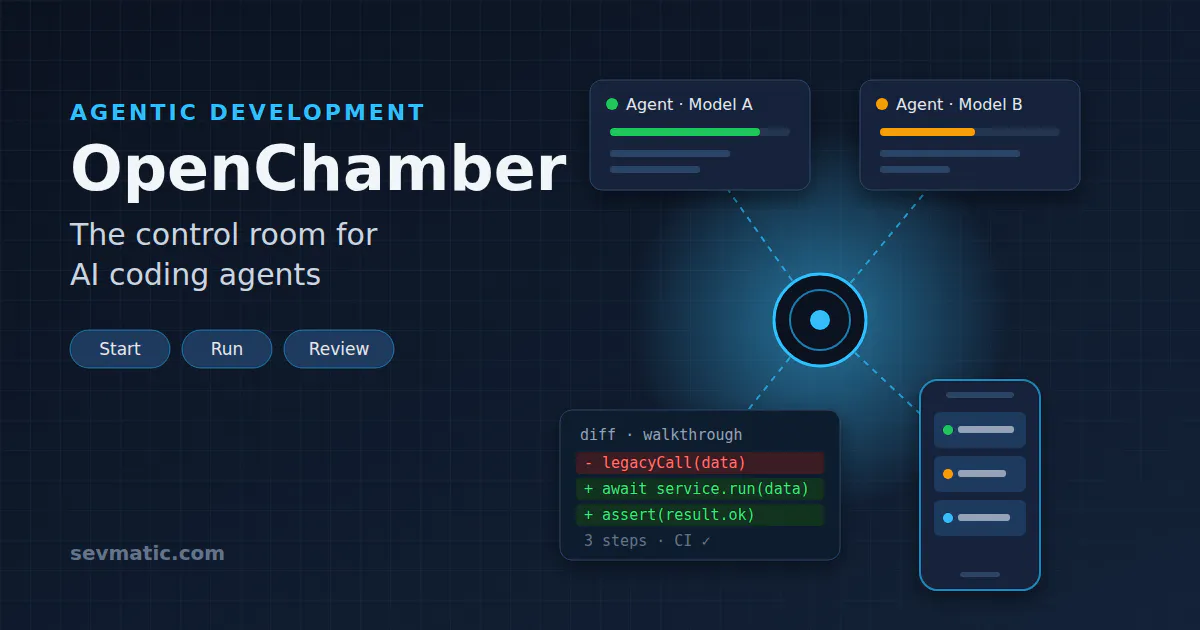
OpenChamber structures every task in three phases: start, run and review. Each phase comes with its own features.
1. Start: tasks straight from the backlog
- GitHub and Linear: A session can start directly from a GitHub issue, a pull request or a Linear ticket. The agent receives the discussion thread and the diff along with it. According to the project, GitLab support is in the works.
- Session Goals: Instead of prompting step by step, you define a goal. After each turn, OpenChamber checks progress and keeps going until the goal is reached, the agent is blocked or a set limit is hit.
- Scheduled tasks: Tasks can be scheduled once or on a recurring basis, for example for routine work overnight.
2. Run: several models in direct comparison
- Multi-run: One task runs in parallel on up to five models, each in its own Git worktree, so the results do not interfere with each other.
- Fusion: Keep the best result, or merge the strongest parts of several solutions into one.
- Browser Use: The running application is displayed in the built-in browser. The agent can operate it itself, see error messages and check its own work.
On top of that, terminal, file browser, notes, todos and reusable project actions sit right next to the chat. OpenChamber also shows token usage, provider limits and cost per session.
3. Review: reviewing becomes a structured process
- Changes Walkthrough: Large diffs are grouped into ordered steps that explain how the change fits together. This is a real gain, especially for extensive agent changes.
- Failed checks go back: A red CI run is sent straight back to the agent that wrote the code, and it returns with the fix.
- Merge without switching windows: Commit, push, open a pull request, reply to review comments and merge, all in the same window.
Privacy by design
According to the project, OpenChamber does not collect project names, paths, prompts, code, diffs or session content. Code and sessions stay on your own machine. Since the project is open source, this can be verified in the source code.
How can OpenChamber be used profitably?
A new tool only pays off if it saves time, improves quality or reduces costs. In our view, there are five scenarios where OpenChamber delivers exactly that.
Choosing models based on data rather than gut feeling
Which model is good enough for which task? With Multi-run, you can test this on real tickets in your own code. If a cheaper model turns out to deliver equivalent results for routine tasks, ongoing AI costs drop noticeably. The per-session cost display makes the comparison transparent. Expensive models are then used specifically where they are worth their price.
Automating routine work
Many tasks are recurring and easy to describe: updating dependencies, increasing test coverage, maintaining translation files, replacing deprecated APIs or moving a test framework to a new major version. With scheduled tasks and Session Goals, this kind of work runs overnight on the server. In the morning, a pull request is ready for review. Developers focus on the work that actually requires experience and judgment.
From backlog to pull request for small tickets
Every team knows the list of small issues that never get priority. Since sessions start directly from GitHub issues or Linear tickets, this backlog can be worked through systematically. The human stays the reviewer, the agent handles the implementation.
Easing the review bottleneck
When agents produce code faster, review becomes the bottleneck. The Changes Walkthrough and sending failed CI checks back to the agent significantly reduce the effort per pull request. This is often a bigger lever than code generation itself.
Running agents on your own infrastructure
For companies and public authorities with strict data sovereignty requirements, the operating model is attractive: the instance runs on your own server, and access happens through an encrypted relay without open ports. Combined with models connected via OpenCode, and self-hosted if needed, this creates an AI development environment that fits cleanly into existing security concepts. Modernizing legacy business applications can also be driven forward with agents this way, without source code leaving the organization uncontrolled.
What to keep in mind
As convincing as the concept is, a few points belong in every evaluation:
- Data flow to the model provider: OpenChamber itself sends no data, but prompts and code snippets go to the chosen model provider. For GDPR and confidentiality, the choice of provider is decisive.
- Keep an eye on costs: Multi-run with five models means up to five times the cost per task. That is worthwhile for comparisons and critical changes, not for every ticket.
- Isolate agents: Coding agents execute commands. Worktrees protect the main branch, a separate environment (such as a dedicated server or container) protects the system.
- Secure remote access: Set a UI password, prefer Private Relay, and revoke devices and tunnels that are no longer needed.
- Young project: OpenChamber is evolving quickly. That brings a steady stream of new features, but also requires attention when updating. There is also a dependency on OpenCode.
- Responsibility stays with the team: No walkthrough replaces a competent review.
Getting started in three steps
- Install OpenCode:
bash
curl -fsSL https://opencode.ai/install | bash
- Install OpenChamber:
bash
curl -fsSL https://raw.githubusercontent.com/openchamber/openchamber/main/scripts/install.sh | bash
- Start OpenChamber with a UI password and open the printed URL (usually
http://localhost:3000) in your browser:
bash
openchamber --ui-password your-secure-password
Alternatively, the desktop app and the editor extension are available.
Conclusion
OpenChamber solves a problem that arises from the success of AI coding agents: work gets faster, but also harder to keep track of. The tool makes agents visible, enables direct model comparison, automates routine work and structures the review. Since it is free, open source and can run on your own infrastructure, the barrier to entry is low.
The economic benefit, however, does not come from the tool alone, but from the right processes: clear goals for agents, a deliberate choice of models and a solid security concept.
Want to integrate AI agents into your development, securely and on your own infrastructure? sevmatic supports you with planning, setup and rollout. Get in touch.